Home / Codes / How to redeem
How to redeem codes in SF Bike (Roblox)
SF Bike on Roblox. Community screenshots agree on one path: Settings, then Codes, then the Enter your code box, then Redeem. The developer has not published a separate menu guide.
On PC
- Join from the official place page and wait until the city has finished loading.
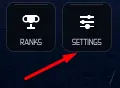
- On the right-hand button grid, press Settings. The same grid also shows Bikes, Custom, Shop, Rewards and Ranks.
- Inside Settings, press Codes.
- Type the string into Enter your code and press the Redeem button. You can enter more than one code in the same session.
- Watch the success notice and the Cash balance. Then decide what to ride on the bikes list.


On mobile
The menu path matches PC. Turn off autocorrect before you paste. If it changes VISITS or inserts a space, and the box wants the dense uppercase string. Console button names for this menu are not in any public write-up, so use the on-screen labels rather than a guessed pad map.
When Redeem does not pay
| What you see | Likely cause | Sources |
|---|---|---|
| No change, or an error | Letter case or a typo. Codes are uppercase with no spaces. | 2 |
| Second try fails | Most of these strings pay once per account. | 1 |
| An old code fails | It left the Roblox description. See NEWREALEASE. | 2 |
| Paste fails | A leading space, or mobile autocorrect. | 1 |
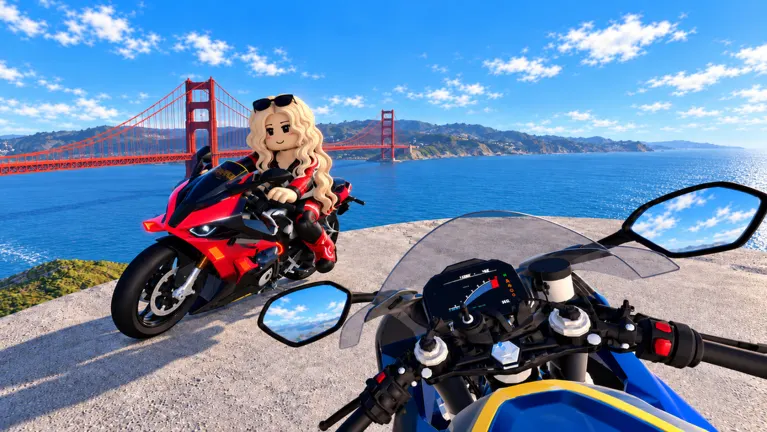
| Wrong city | Another bike experience. Confirm place 133214978843288 and the bridge. | 1 |
The free motorcycle is not a code. Join the SF BIKE Roblox group, return to the experience, and claim it from the vehicle flow. A dealership frame also shows a BMX tagged free with a Join Group button, so the free model may not be a single bike.